
The Explosive Rise of X Tap Hold Images: Why taphold.co Is Leading the Viral Trend
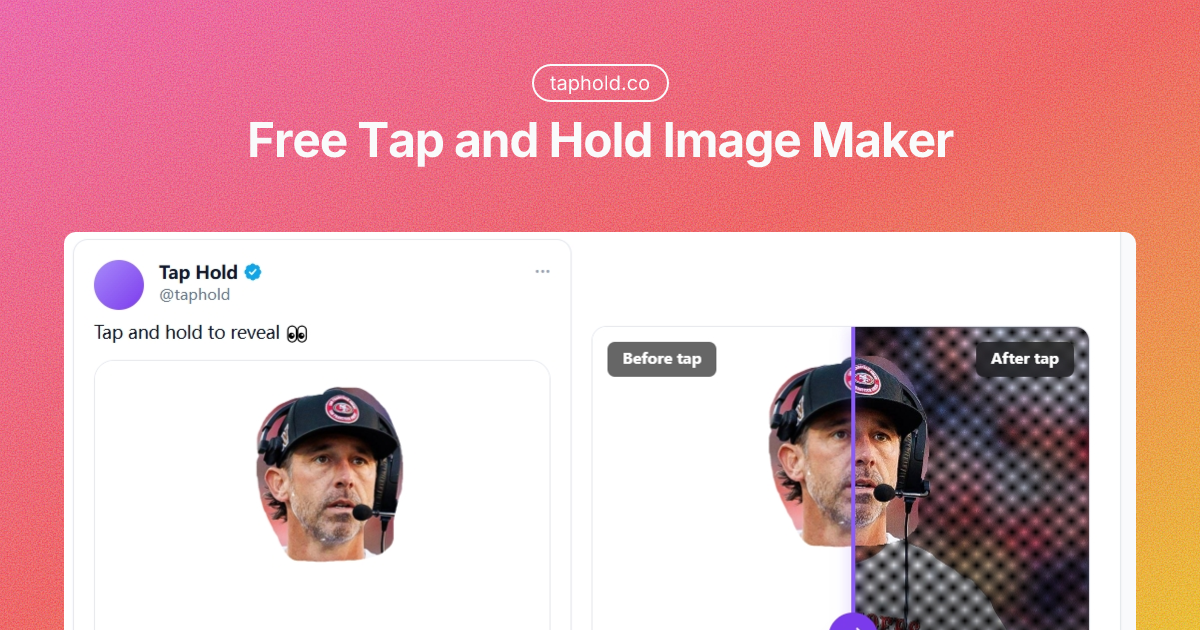
In just the past three days, X (formerly Twitter) timelines have been taken over by a new interactive format. Images that look faint, washed-out, or nearly blank in the feed suddenly snap into vibrant, detailed visuals the moment someone taps and holds them. This Tap Hold effect, also known as Kakushie, has become one of the biggest trends on the platform right now.
If you want to create these highly engaging images yourself, one tool has quickly become the go-to choice for creators worldwide: taphold.co.
Why Tap Hold went viral so fast
The technique cleverly exploits how X handles transparent PNGs. In the timeline preview, hidden areas blend into the background, but when users long-press on mobile, the full colorful image is revealed.
That surprise factor drives massive engagement. Likes, replies, and quote tweets pour in as people discover the hidden content and share it with their own followers.
In just three short days, creators using taphold.co have already generated over 300,000 Tap Hold images, fueling the wave currently flooding X.
taphold.co vs other Tap Hold makers: why most competitors fall short
Dozens of Kakushie makers and Tap to Reveal tools have appeared since the trend started. Most of them disappoint when it really matters:
- They export ordinary RGBA PNGs that X often compresses into JPEGs, destroying the effect.
- No accurate live preview means endless trial-and-error posting.
- Server-side processing creates privacy risks and slower performance.
- Weak masking and poor X-specific optimization lead to inconsistent results across timelines.
taphold.co was purpose-built to solve these exact problems.
Key advantages of taphold.co
- True PNG8 export — optimized indexed-color transparent files that work reliably with X's rendering.
- Real-time before/after preview — instantly see the faint feed version next to the tap-and-hold reveal.
- Precision brush tools — smooth masking with undo and redo for clean, professional results.
- Automatic X optimization — smart resizing and preparation for the best performance on the platform.
- 100% browser-based — nothing is uploaded, your images stay private, and processing is fast.
- Mobile-friendly editor — easy to use on phones, with clear guidance to post from desktop.
How to create a viral Tap Hold image in minutes
- Upload your base image (JPG, PNG, or WebP up to 40MB).
- Brush the areas you want visible in the timeline preview.
- Use the slider to preview the effect in real time and fine-tune it.
- Export the optimized PNG8 file.
- Post from a desktop browser on x.com, because mobile apps usually break the transparency.
Pro tips for maximum engagement
- Use high-contrast portraits or AI art for the strongest reveals.
- Add a clear call to action such as "Tap and hold to reveal".
- Test a single image before posting a whole thread.
- Combine with trending topics to boost visibility.
Join the movement
With more than 300,000 images already created in just three days, taphold.co has proven itself as the most reliable and user-friendly Tap Hold maker available.
Stop wasting time with unreliable alternatives. Open the free editor now. It is completely free, needs no signup, and is ready to use instantly in your browser.
The X timeline is waiting. What will you reveal?
Frequently asked questions
What is a Tap Hold (Kakushie) image?
It is a transparent PNG that looks faint or blank in the X timeline and reveals a full, colorful image when you tap and hold it on mobile.
Why do I need PNG8 instead of a normal PNG?
X processes indexed-color PNG8 files differently from standard RGBA PNGs. Combined with checkerboard transparency, PNG8 keeps the reveal intact while staying faint in the feed. taphold.co exports PNG8 automatically.
Can I post a Tap Hold image from the X mobile app?
It is not recommended. The app usually re-compresses images to JPEG and destroys the transparency. Post from a desktop browser on x.com for reliable results.
Is taphold.co free and private?
Yes. It is completely free with no signup, and every image is processed inside your browser, so nothing is ever uploaded to a server.
Make your first Tap Hold image
Free, no signup, and 100% browser-based. Upload, brush, preview, and export a PNG8 in minutes.
Open the free editor